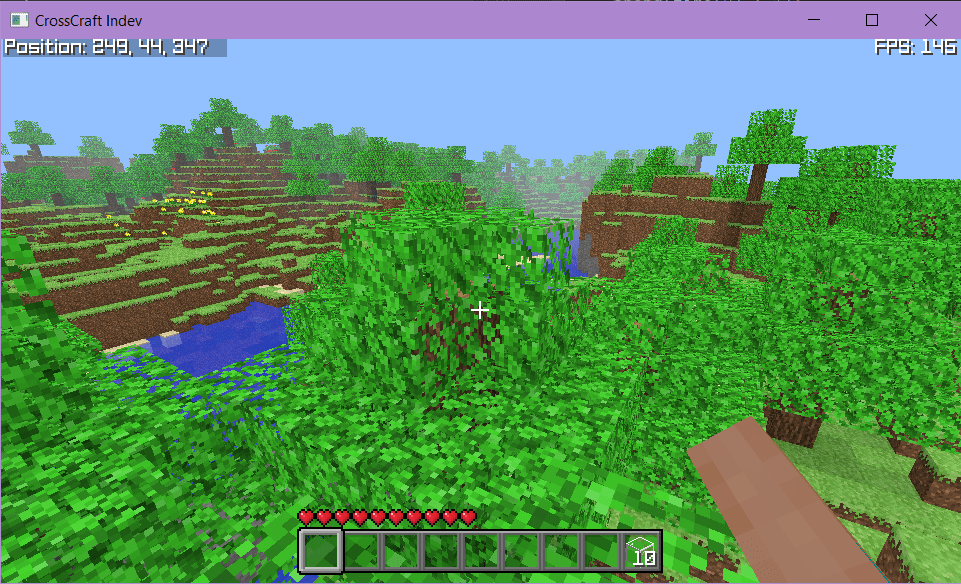
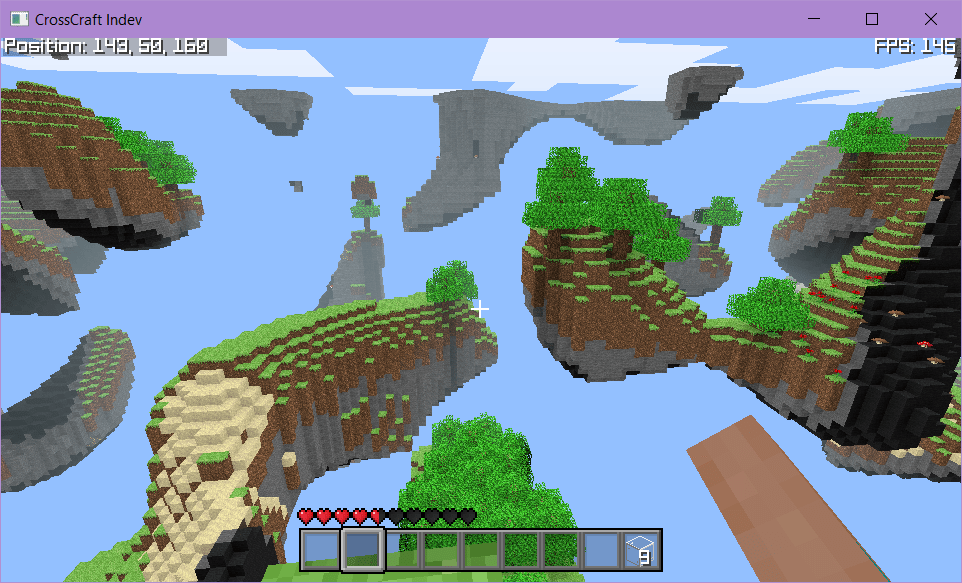
CrossCraft Indev attempts to implement similar terrain generation to Minecraft Indev through the use of the original classic generator, modified to make the world more interesting. Minecraft Indev has several profiles which we attempt to replicate. There’s Original, Flat, Forest, Island, Floating, Paradise, and more. We implement Original, Flat, Forest, Island, and Floating.
The original Minecraft Classic terrain generator is well documented by UnknownShadow200 on the wiki for ClassiCube. This is a nice pseudocode layout, which we implement in the terrain generator for CrossCraft Indev.
Based on this documentation we have the following methods:
//Create height-map, "Raising..."
void create_heightmap(int16_t* heightmap, uint16_t length, uint16_t width);

//Smooth out height-map, "Eroding..."
void smooth_heightmap(int16_t* heightmap, uint16_t length, uint16_t width);

//Create strata, "Soiling..."
void create_strata(LevelMap* map, const int16_t* heightmap);

//Carve out caves, "Carving..."
void create_caves(LevelMap* map);

//Create ore veins
void create_ores(LevelMap* map);

//Flood fill-water, "Watering..."
void flood_fill_water(LevelMap* map);

//Flood fill-lava, "Melting..."
void flood_fill_lava(LevelMap* map);

//Create surface layer, "Growing..."
void create_surface(LevelMap* map, int16_t* heightmap);

//Create plants, "Planting..."
void create_plants(LevelMap* map, int16_t* heightmap, int off);
These methods are used across the entire terrain generator, so check out the total source code for our terrain generator here to see how we’ve implemented these methods. Our notable modifications to the “original” is a slight increase to the number of trees from the pseudocode, a decrease to the number of caves (our caves were too long), and amplification boost to the terrain, which helps to generate the terrain we receive.
Beyond that, with a baseline generator, how do you derive these other ones? Well for one thing, we can definitely recreate a forest! Forest terrain simply requires us to use the `create_plants()` more than once. Two runs was what we found generated terrain with lots of trees and flowers while still allowing open meadows. For a full tree world, I’d recommend repeating the method a third time. Forests are perhaps the easiest of these to create.
For our flat terrain generator, we actually decided to do away with the heightmap creation, and then run a simple method to generate the strata before planting on top of it.
for(uint16_t x = 0; x < map->length; x++){
    for(uint16_t z = 0; z < map->width; z++){
        for (int y = 0; y < 64; y++) {
            int block_type = 0;

            if(y == 0 ){
                block_type = 7;
            } else if (y == 1) {
                block_type = rand() % 2 == 0 ? 7 : 1;
            } else if (y <= 28) {
                block_type = 1;
            } else if (y <= 31) {
                block_type = 3;
            } else if (y <= 32) {
                block_type = 2;
            }

            SetBlockInMap(map, x, y, z, block_type);
        }
    }
}

int16_t* tempHeightMap = calloc(sizeof(int16_t), map->length * map->width);
for(int i = 0; i < map->length * map->width; i++) {
    tempHeightMap[i] = 32;
}
create_plants(map, tempHeightMap, 0);
create_ores(map);
free(tempHeightMap);
This is also a pretty simple terrain generator where we go across the map and generate basic layered terrain, according to the Y Value. We then create a “fake” heightmap to make some plants in the map, which is necessary for the method. Creating the plants and ores and freeing the map we made is enough to have a fully populated flat world.
For the island heightmap, we have a more interesting conundrum. How do you generate an island in the center of the map? The simple answer is to multiply the heightmap by a mask function which traces a circle. Values closest to the center are then highest in the map, resulting in a roughly circular Island!

void CrossCraft_WorldGenerator_Generate_Island(LevelMap* map) {
    int16_t* heightMap = calloc(sizeof(int16_t), map->length * map->width);

    // Generate a heightmap
    CC_Internal_Log_Message(CC_LOG_INFO, "Raising...");
    create_heightmap(heightMap, map->length, map->width);

    // Smooth heightmap
    CC_Internal_Log_Message(CC_LOG_INFO, "Eroding...");
    smooth_heightmap(heightMap, map->length, map->width);

    // Smooth to make an island
    smooth_distance(heightMap, map->length, map->width);

    // ...
}
So to do this, we made a new method, smooth_distance, that takes in the heightmap and the dimensions of the map.
void smooth_distance(int16_t* heightmap, uint16_t length, uint16_t width) {
    int midl = length / 2;
    int midw = width / 2;

    float maxDist = sqrtf(length * length + width * width) / 2;

    for(int x = 0; x < length; x++){
        for(int z = 0; z < width; z++) {

            int diffX = midl - x;
            int diffZ = midw - z;

            float dist = sqrtf(diffX * diffX + diffZ * diffZ) / maxDist;

            heightmap[x + z * length] = ((1-dist) + 0.2f) * (float)heightmap[x + z * length];
        }
    }
}
So the code is relatively simple. We first find the middle of the map on the XZ axis. We can also determine the maximum distance possible from the center which is just the distance from (0, 0) to (length, width) divided by 2. Then for each XZ, we can calculate the distance by taking the difference between any (x, z) pair and the center point. We then calculate the distance and normalize it to 1.0 by dividing by maximum distance.
To factor this into the heightmap, we index into the heightmap and we take 1 – distance. This is because we want the center to be populated, not the corners. Otherwise, you end up with some weird mountain corner map. We also added a static offset in order to simulate the base of the map. Realistically we should also have multiplied (1 – distance) by 0.8f then added 0.2f to make sure values always stay in the 0.0 – 1.0 range. However, the idea behind what we did was to make the center more of a “mountain”. Most islands in real life are created from a volcanic center which results in a similar topography.
In the next post, I’ll talk about the “Floating” Level Generator.
 Iridescence Technologies